How Do I Maintain Consistent Character Features in AI Video Production?
Moving beyond random generation to achieve brand continuity in multi-modal video workflows.
To maintain character consistency, you must move from text-only prompts to an 'Asset-First' pipeline. Use a high-fidelity reference image as a persistent visual anchor for every generation. By conditioning your video model on this specific source asset, you constrain the generative probability envelope and eliminate character drift across long-form campaigns.
This guide outlines the professional 'Asset-First' pipeline for AI video, detailing how to use reference images and multi-modal tools to eliminate character drift and ensure brand continuity across long-form content.
The Architecture of Character Stability
Character consistency in AI video is not a prompt engineering problem; it is an architectural one. Models generate frames without inherent memory, meaning each clip starts as a blank slate unless you provide a persistent visual anchor. Research confirms that removing this visual anchor results in a catastrophic drop in consistency scores, effectively rendering the character unrecognizable across a narrative arc.
To solve this, you must adopt an 'Asset-First' mechanism. This involves decoupling your character design from the scene generation process. By creating a 'Character Bible'—a set of high-fidelity reference images—you provide the model with a ground-truth identity. Tools like Runway Gen-4 and Vidu AI now allow you to upload these references directly, using them to condition the generative probability envelope of every subsequent frame.
This approach replaces the unpredictability of text-to-video with a controlled, reference-based workflow. Whether you are using XMK for specialized motion control or native platform features, the principle remains the same: the reference image is the linchpin. Without it, you are relying on the model's internal latent space to 'guess' what your character looks like, which is the primary cause of character drift.
Implementing the S2V (Source-to-Video) Pipeline
The most effective workflow for long-form campaigns is the Source-to-Video (S2V) pipeline, which treats a single, high-fidelity image as the immutable source of truth. By generating an initial 'seed frame' that is strictly conditioned on your reference asset, you create a stable foundation for the entire video sequence.
In practice, this means you should never generate a new scene from a raw text prompt. Instead, use your reference image to generate an initial frame that captures the character in the desired setting. This frame then serves as the primary input for your Image-to-Video (I2V) model. This ensures that the character's features—such as facial structure, clothing, and hair—remain locked throughout the transition from one shot to the next.
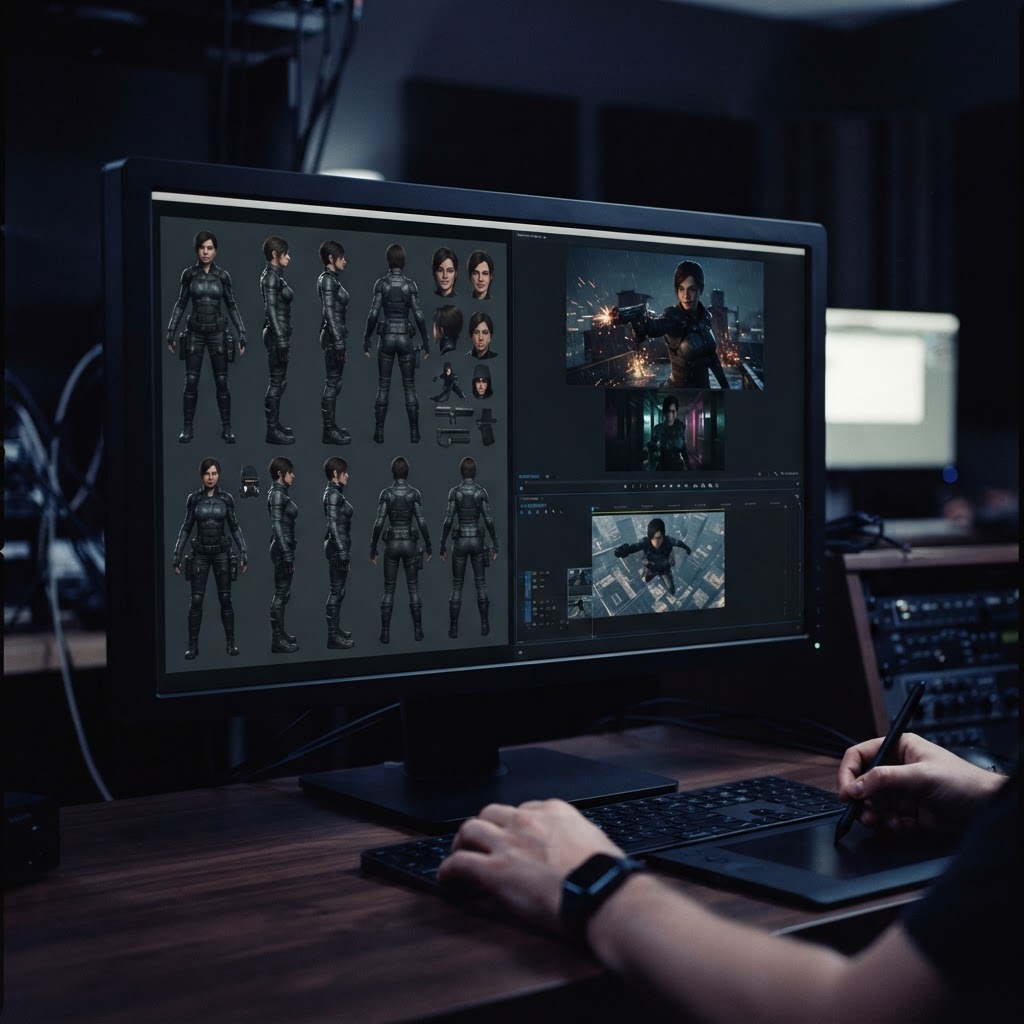
For complex campaigns, maintain a character sheet containing multiple views (front, side, and three-quarter profiles). When moving between different camera angles, feed the relevant view from your character sheet into the I2V model. This technique, supported by platforms like Kling AI and Pollo AI, allows for professional-grade continuity that satisfies the high standards of branded content.
Advanced Control with Multi-Modal Tools
Beyond simple reference images, modern multi-modal tools offer granular control over motion and physics, which are essential for maintaining brand continuity. Tools like XMK provide the ability to define specific motion parameters, ensuring that a character's movement style remains consistent even when the environment changes.
When selecting a tool, prioritize those that offer 'My Reference' or 'Persistent Identity' features. These functions allow you to define not just the visual look of a character, but also their behavioral traits. By combining visual reference conditioning with motion control, you can ensure that your character doesn't just look the same, but also moves with the same weight and cadence across different episodes.
Remember that consistency is a cumulative effort. Every time you generate a new clip, verify it against your original 'Character Bible.' If drift occurs, it is often because the model has drifted away from the initial seed frame. Re-anchoring to the original reference image is the fastest way to correct the output without needing to retrain models or perform expensive fine-tuning.

The AI Video Consistency Matrix
- Asset-First Conditioning: Use a single high-fidelity reference image for all clips.
- Prompt Templating: Maintain identical character descriptions across every scene.
- Seed Frame Anchoring: Generate an initial I2I frame to stabilize subsequent motion.
- Negative Prompting: Explicitly exclude inconsistent features like hair color shifts.
- Multi-Shot Orchestration: Use platform-specific 'My Reference' features for continuity.